Appearance
CompanyMetric
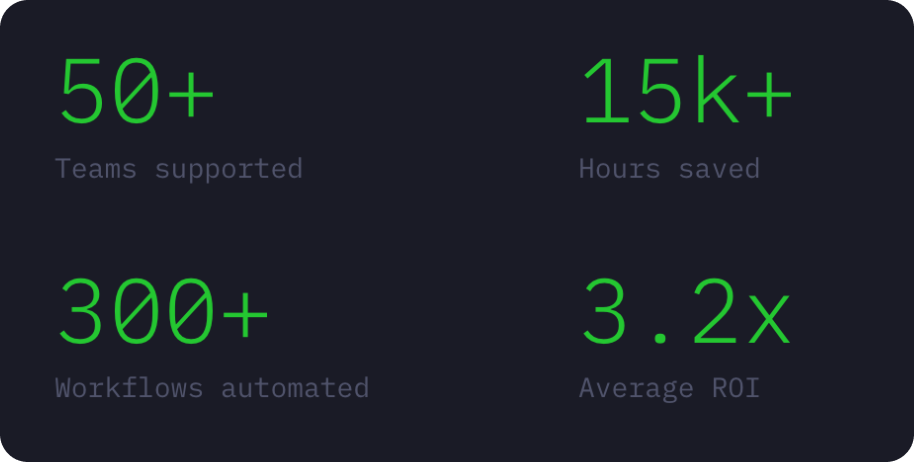
A simple metric display component that shows a key performance indicator (KPI) with a customizable label and color.
How to Edit
To customize CompanyMetric:
- Select the component — Click CompanyMetric directly on the canvas, OR find it in the Layers panel and click its name
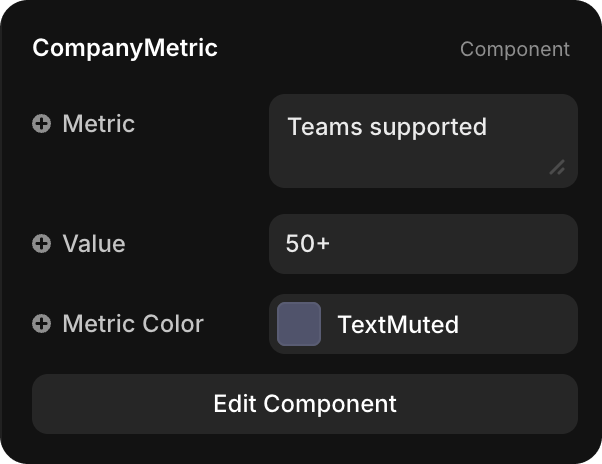
- Open Properties — The Properties panel (right sidebar) displays all editable fields
- Make changes — Edit any property and see changes update in real-time
Property Controls
| Property | Type | Description |
|---|---|---|
| Metric | String | Label text describing the metric (e.g., "Teams supported", "Hours saved", "Workflows automated") |
| Value | String | The metric value to display (e.g., "50+", "15k+", "300+") |
| Metric Color | Color Token | Color for the metric text (default: TextMuted for muted secondary color). Choose any color token from your design system |