Appearance
UserPic
A simple profile photo component that displays user photos with a terminal-themed aesthetic. Photos are automatically tinted with the TerminalPrimary color.
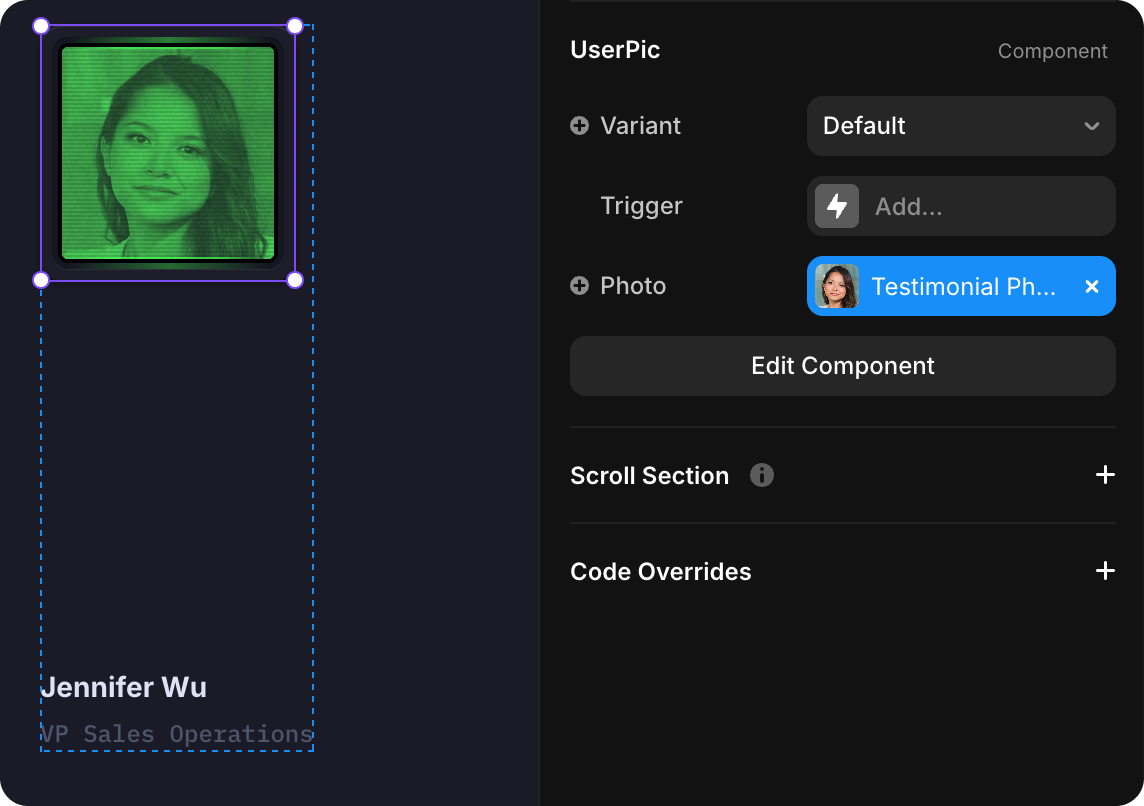
How to Edit
To customize UserPic:
- Select the component — Click UserPic directly on the canvas, OR find it in the Layers panel and click its name
- Open Properties — The Properties panel (right sidebar) displays all editable fields
- Make changes — Edit any property and see changes update in real-time
Property Controls
Variant
| Value | Breakpoint | Description |
|---|---|---|
| Default | Desktop | Full-size profile photo for larger screens |
| Small | Mobile | Compact profile photo optimized for mobile devices |
The component automatically switches between variants based on screen size. Select the variant from the dropdown in the Properties panel if you need to manually change it.
Photo
Click Photo to upload or replace the profile picture displayed in the component.
The photo is automatically enhanced with terminal effects via the TerminalEffects component:
- Color Tinting — Photo is tinted with the
/Terminal/TerminalPrimarycolor token - CRT Effects — Scanlines and noise overlay create a retro CRT monitor aesthetic
See the TerminalEffects documentation for details on customizing or disabling the scanlines and noise effects.
Usage
UserPic is used in several places throughout the site:
- Testimonials — Client profile photos in CardTestimonial components
- Case studies — Contact person photos in success stories
- Author bylines — Blog post author pictures