Appearance
Pages Overview
SYNTHEXA comes with 12 fully designed pages ready for customization.
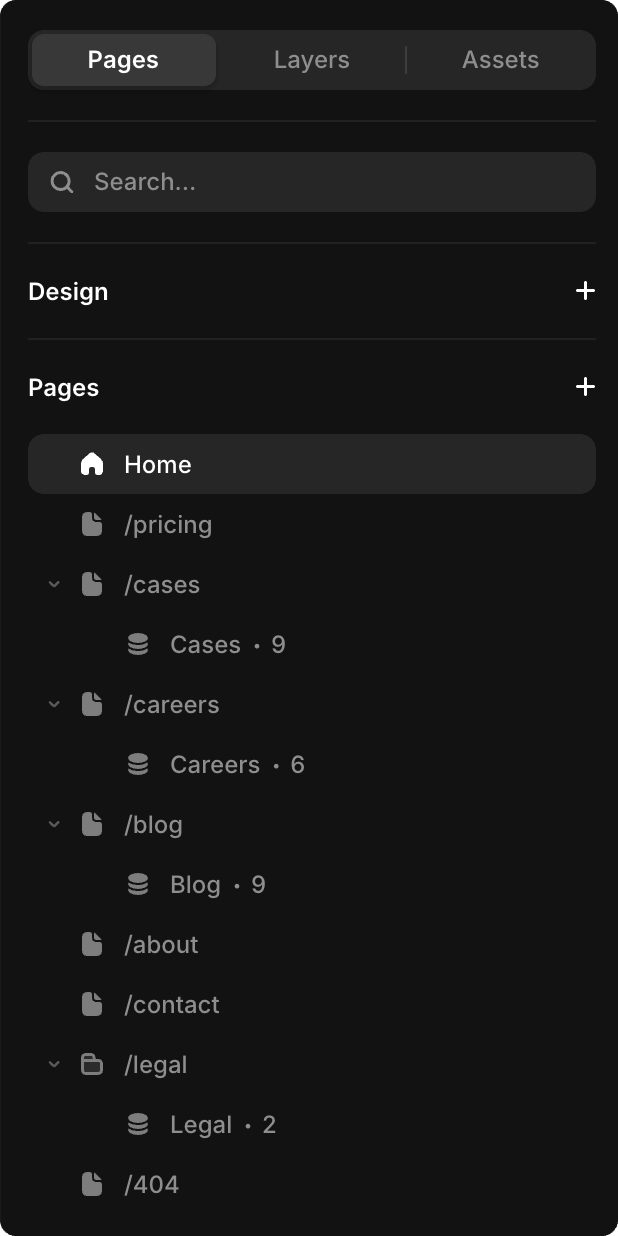
Static Pages
These pages are directly editable on the canvas:
- Homepage (
Home) — Hero, customer logos, patterns, services, process, ROI calculator, tech stack, cases and testimonials, pricing, FAQ, contact form - Pricing (
/pricing) — Service plans with feature comparison table - About (
/about) — Company story, team, values, metrics - Contact (
/contact) — Contact form
CMS-Driven Pages
These pages auto-generate from your CMS entries. You never need to build individual pages manually.
Blog
- Blog Listing (
/blog) — All published articles with filtering - Blog Post (
/blog/:slug) — Auto-generated for each Blog CMS item
Cases
- Cases Listing (
/cases) — Portfolio grid - Case Study (
/cases/:slug) — Auto-generated for each Cases CMS item
Careers
- Careers (
/careers) — Open positions listing - Job Page (
/careers/:slug) — Auto-generated for each Open Roles CMS item
Legal
- Legal Pages (
/legal/:slug) — Privacy Policy, Terms of Service, etc.
Dynamic vs Static
Static pages are edited directly on the canvas. Change text, images, layouts. Perfect for unique pages like homepage and about.
CMS pages use templates. Add a CMS entry (blog post, case study, job) → a new page is automatically created and published.
TIP
Static pages like Homepage should be edited on the canvas, while repetitive content (blog posts, job listings) should go into CMS collections.