Appearance
TerminalEffects
An effects overlay component that applies CRT monitor aesthetics to images. Creates scanlines and noise effects to achieve a retro terminal appearance.
Overview
TerminalEffects is a utility component that layers on top of images and screens to apply visual effects that simulate old CRT monitors. It adds:
- Scanlines — Horizontal striped pattern overlay
- Noise — Subtle grain/static effect
Used in components like UserPic, CardTeam, and TerminalDashboard to create the terminal-themed aesthetic throughout SYNTHEXA.
How It Works
TerminalEffects is positioned as a layer on top of an image to apply the CRT effects. The component itself is transparent and only shows the effect overlays.
Property Controls
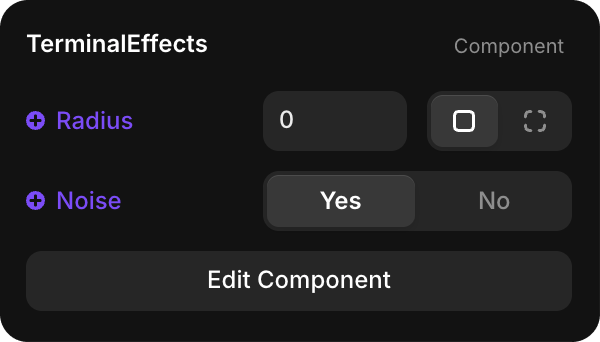
Radius
| Property | Type | Default | Description |
|---|---|---|---|
| Radius | Number | 0 | Corner radius in pixels for the effect overlay. Set to match the image's corner radius |
Noise
| Property | Type | Default | Description |
|---|---|---|---|
| Noise | Toggle | Yes | Enable/disable the grain/static noise effect |
Customizing Effects
Edit Component
Click Edit Component to access the internal structure and customize the effects:
- Click Edit Component in the Properties panel
- You'll see the component's internal layers and properties
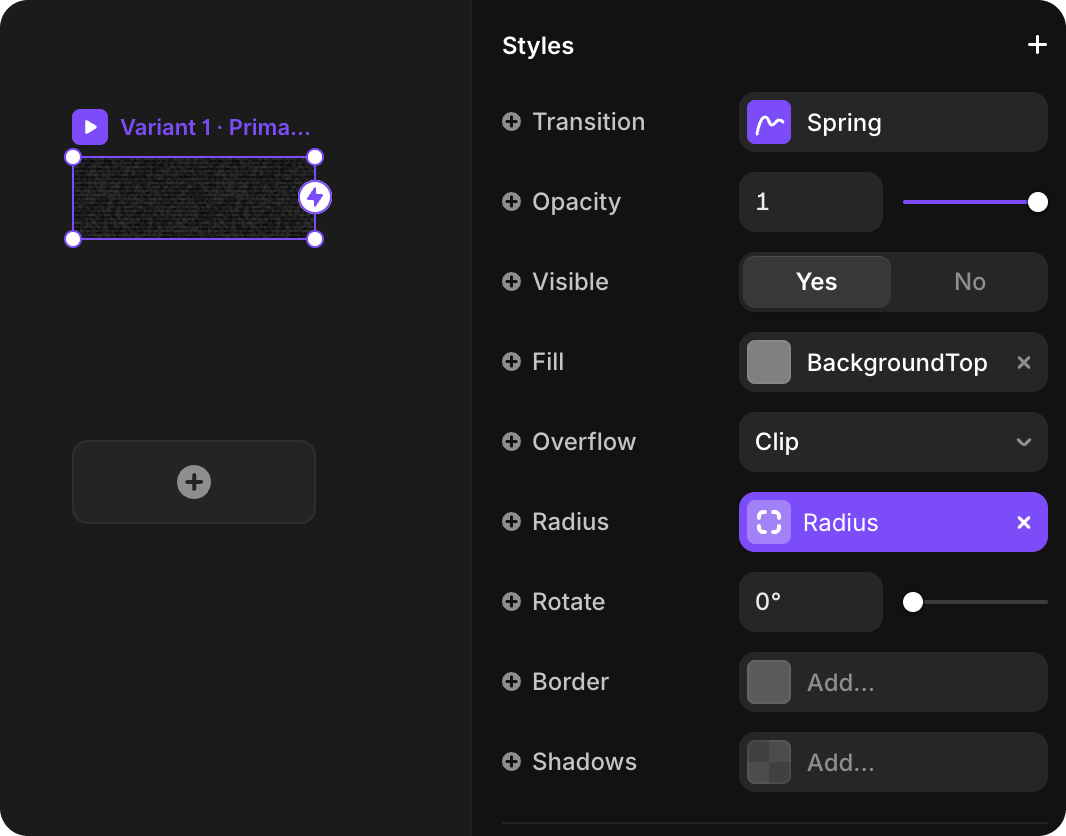
- The Fill property controls the scanlines effect
Remove or Modify Scanlines
To adjust the scanline effect:
- Click Edit Component to enter component edit mode
- Select the Fill property
- To remove scanlines entirely: Delete the Fill by clicking the X button
- To adjust scanlines: Modify the Fill texture or opacity
The scanline effect is created with a striped texture pattern applied via the Fill property. Removing the Fill removes the scanlines while keeping the noise effect (if enabled).
Remove or Modify Noise
To disable the noise effect:
- In the main Properties panel, toggle Noise to No
- The grain effect will be removed while keeping the scanlines